LymeNet Home LymeNet Home Page LymeNet Flash Discussion LymeNet Support Group Database LymeNet Literature Library LymeNet Legal Resources LymeNet Medical & Scientific Abstract Database LymeNet Newsletter Home Page LymeNet Recommended Books LymeNet Tick Pictures Search The LymeNet Site LymeNet Links LymeNet Frequently Asked Questions About The Lyme Disease Network LymeNet Menu

LymeNet on Facebook

LymeNet on Twitter


The Lyme Disease Network receives a commission from Amazon.com for each purchase originating from this site.

When purchasing from Amazon.com, please
click here first.

Thank you.

LymeNet Flash Discussion
Dedicated to the Bachmann Family

LymeNet needs your help:
LymeNet 2020 fund drive


The Lyme Disease Network is a non-profit organization funded by individual donations.

LymeNet Flash Post New Topic  New Poll  Post A Reply
my profile | directory login | register | search | faq | forum home

  next oldest topic   next newest topic
» LymeNet Flash » Questions and Discussion » Computer Questions » posting a picture

 - UBBFriend: Email this page to someone!    
Author Topic: posting a picture
suttles
Member
Member # 5984

Icon 1 posted      Profile for suttles     Send New Private Message       Edit/Delete Post   Reply With Quote 
I ask the question about the sublingual gland swelling and someone has put a picture of there swelling.

How can I do that?
I just recently got a digital camera and don't know to much about using it yet.

Suttles


Posts: 67 | From moving soon | Registered: Jul 2004  |  IP: Logged | Report this post to a Moderator
rambleguy
LymeNet Contributor
Member # 5389

Icon 1 posted      Profile for rambleguy     Send New Private Message       Edit/Delete Post   Reply With Quote 
Hi suttles,

I don't think this website allows you to upload pictures, so you'd have to post a link to a picture on an existing website (you can use html code to make the picture appear on your post, but it will still point back to another website).

There are some websites, like Geocities, I believe, that will allow you to sign up for free and have your own website, to which you could upload your pictures and then point posts here back to those pics.

In either case, an example of code you would use in your post to make a picture appear is:

img src="http://www.somewebsite.com/somepicture.jpg"

you would need the end brackets "<" and ">" around the text above also (I left it off so that it wouldn't actually try to find the picture I specified)

[This message has been edited by rambleguy (edited 01 May 2005).]


Posts: 139 | From Chico, CA | Registered: Mar 2004  |  IP: Logged | Report this post to a Moderator
Hikin Mike
Member
Member # 6508

Icon 1 posted      Profile for Hikin Mike   Author's Homepage     Send New Private Message       Edit/Delete Post   Reply With Quote 
Posting a picture from my website using UBB code...

------------------
-Mike

[This message has been edited by Hikin Mike (edited 03 May 2005).]


Posts: 96 | From Atwater, Ca | Registered: Nov 2004  |  IP: Logged | Report this post to a Moderator
HaplyCarlessdave
Frequent Contributor (1K+ posts)
Member # 413

Icon 1 posted      Profile for HaplyCarlessdave   Author's Homepage     Send New Private Message       Edit/Delete Post   Reply With Quote 
oops- sorry...-- see below!

[This message has been edited by HaplyCarlessdave (edited 04 May 2005).]


Posts: 4567 | From ithaca, NY, usa | Registered: Nov 2000  |  IP: Logged | Report this post to a Moderator
HaplyCarlessdave
Frequent Contributor (1K+ posts)
Member # 413

Icon 1 posted      Profile for HaplyCarlessdave   Author's Homepage     Send New Private Message       Edit/Delete Post   Reply With Quote 
quote:
Originally posted by HaplyCarlessdave:
[QUOTE] How can I do that?
Suttles


You can use html, if you have that option "turned on".
I would imagine you have to have your pic out there in web- space already, but I am not sure of that. You can either call it out in the post itself, or post link to it.

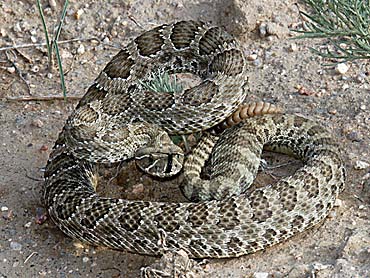
For the the second case (use "view source" to see the code) you can use the form: Rattler
To insert a pic right into your post, you can use something like:


It might be possible to imbed a pic directly, too (without outside ref), but I'm not sure. We should probably generally avoid this, as it could, in the event of a high red pic, take a heck of a lot of memory (so be SLOW as molassas loading! Let's be responsible and not make the 'powers that be' restrict the sight so cool stuff becomes impossiblle! Please be really careful with this stuff- leaving out a marker could theoretically screw up the page for everyone!
DaveS


Posts: 4567 | From ithaca, NY, usa | Registered: Nov 2000  |  IP: Logged | Report this post to a Moderator
treepatrol
Honored Contributor (10K+ posts)
Member # 4117

Icon 1 posted      Profile for treepatrol     Send New Private Message       Edit/Delete Post   Reply With Quote 
Try this link to danq stuff he expains it well.

Picture posting Link


Posts: 10564 | From PA Where the Creeks are Red | Registered: Jun 2003  |  IP: Logged | Report this post to a Moderator
   

Quick Reply
Message:

HTML is not enabled.
UBB Code� is enabled.

Instant Graemlins


Post New Topic  New Poll  Post A Reply Close Topic   Feature Topic   Move Topic   Delete Topic next oldest topic   next newest topic
 - Printer-friendly view of this topic
Hop To:


Contact Us | LymeNet home page | Privacy Statement

Powered by UBB.classic™ 6.7.3


The Lyme Disease Network is a non-profit organization funded by individual donations. If you would like to support the Network and the LymeNet system of Web services, please send your donations to:

The Lyme Disease Network of New Jersey
907 Pebble Creek Court, Pennington, NJ 08534 USA


| Flash Discussion | Support Groups | On-Line Library
Legal Resources | Medical Abstracts | Newsletter | Books
Pictures | Site Search | Links | Help/Questions
About LymeNet | Contact Us

© 1993-2020 The Lyme Disease Network of New Jersey, Inc.
All Rights Reserved.
Use of the LymeNet Site is subject to Terms and Conditions.